Why Choose a Smart Locker Lock for Your Business?
A Smart Locker Lock can make everyday storage easier to manage in offices, gyms, schools, and shared workspaces. Instead of tracking physical keys, staff can issue access through a PIN, card, mobile credential, or another supported method. Features vary by model, so buyers should check how credentials are added, removed, and recovered. Picture a busy staff room: an employee leaves, and an administrator needs to revoke access without collecting a key. A well-designed system can make that task simpler. Small detail. It can also create a clearer record of access events, when logging is supported and configured appropriately.
The practical value depends on more than the lock itself. Consider battery life, installation needs, locker material, network availability, and how the system behaves during an outage. Ask who can view access records and how long those records are retained. These questions help businesses assess privacy and security alongside convenience. A reliable supplier should explain support, maintenance, and compatibility in specific terms, not just promise “smart” access. Still, digital control adds new points of failure. That is worth admitting. A forgotten PIN, depleted battery, or confusing setup can frustrate users. Choosing carefully—and testing the system with real staff before wider rollout—can reveal problems early and help determine whether a Smart Locker Lock suits the business.
What Is a Smart Locker Lock?
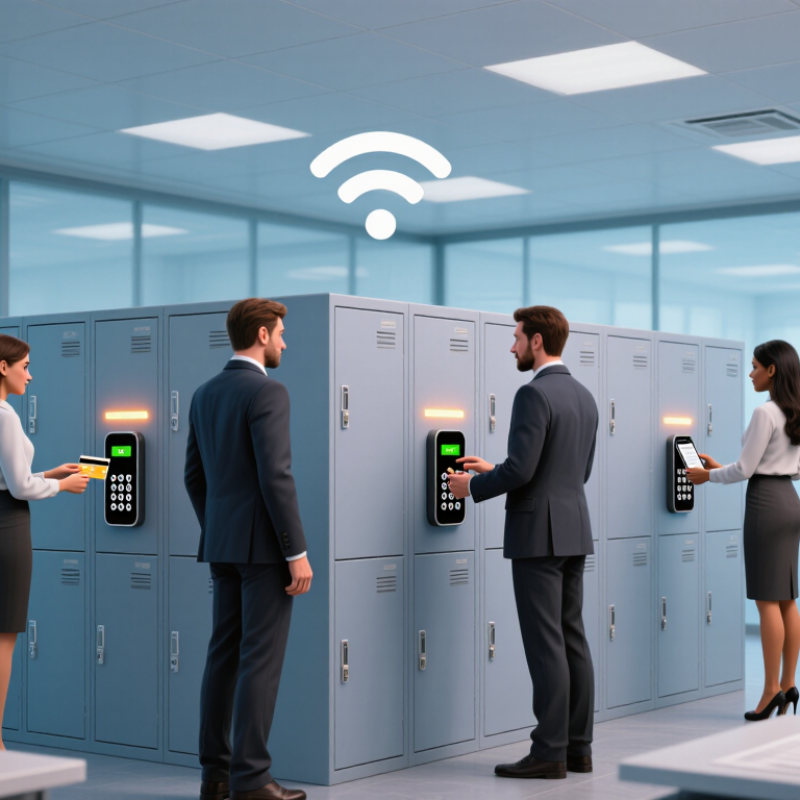
A smart locker lock is an electronic locking system that controls who can open a locker and when. Instead of relying only on a metal key, it may accept a PIN, access card, or mobile credential. Inside, a small controller checks the credential and releases the latch when access is approved. The mechanism can be built into a new locker or fitted to some existing units, though compatibility should be checked before ordering.
In a workplace, an administrator might assign a locker to a staff member for a shift, then change that access later. Some systems record events, such as a locker opening at 8:42 a.m. These records can help when a user forgets whether they secured a compartment. They do not explain every event, though; a log shows activity, not the reason behind it. That distinction matters.
Smart locks also need practical planning. A keypad near a damp entrance may need suitable protection, and battery-powered units need a clear replacement routine. If the network fails, access behavior depends on the lock’s design and settings. Test that scenario before daily use. Setup can be fiddly, especially when old locker doors vary in thickness. A smart lock adds control, but it does not remove the need for maintenance or sensible access policies.
How Does a Smart Locker Lock Work?
Why Choose a Smart Locker Lock for Your Business?
How Does a Smart Locker Lock Work?
A smart locker lock uses an electronic credential instead of a traditional key. The credential might be a PIN, an access card, or a code sent to a user’s phone. When someone enters or presents it, a reader sends the details to a controller. The controller checks whether that person can open that locker at that time. Access granted. A small motor or solenoid then releases the latch, letting the door open. The process usually takes only a few seconds. The exact steps depend on the lock’s design.
After the door closes, a sensor may register that it is shut and secure. Some systems record when a locker was opened and which credential was used. These logs can help staff investigate a missed item or repeated access problem, though they do not explain every situation. A shared phone, for example, can make an activity record less clear. Some locks also store approved credentials locally, so access may continue during a network outage; others need a live connection. Check this before choosing a system. Battery life, emergency access, and clear instructions matter too. The technology is useful, but it is not maintenance-free. A flat battery can turn a quick pickup into a very long wait.
What Business Needs Can It Address?
A smart locker lock can address everyday access problems in offices, gyms, clinics, and shared workspaces. Staff may need secure storage without carrying a ring of keys or waiting for a manager to open a cabinet. Digital access can be assigned by user or time period, making shift changes and temporary access easier to manage. A clear access record can also help teams investigate misplaced equipment or confirm when a compartment was opened. That matters.
These locks are useful when many people share lockers, or when access needs change often. For example, a facilities team can assign a locker to a new employee without replacing its physical lock. Some systems support PINs, cards, or mobile credentials, but the best option depends on users’ devices and habits. Connectivity, battery life, and emergency access deserve attention too. A smart lock still needs routine checks, and a dead battery can disrupt a busy day. No system removes every access risk.
Tips: Match the lock to the locker’s material and daily usage. Test the unlocking method with real users before rollout, including staff who may not carry a smartphone. Keep a simple backup procedure, check batteries on a schedule, and review access permissions when roles change. Small details count.
What Benefits Does It Offer Businesses?
A smart locker lock gives each parcel a controlled, traceable handoff. Staff can issue time-limited access codes, while activity logs show when a compartment was opened. This helps reduce shared keys, missed deliveries, and time spent locating packages. Small details matter: a clear pickup message and a visible locker number can prevent needless trips to the service desk.
The U.S. Census Bureau estimated that e-commerce accounted for 15.4% of U.S. retail sales in 2023. More online orders mean more deliveries to receive and distribute. The 2024 State of Logistics Report estimated U.S. business logistics costs at $2.3 trillion, or 8.7% of GDP. A locker system cannot erase those costs, but it can make one part of receiving more orderly.
There are trade-offs. Codes need secure handling, locks need maintenance, and a dead battery can disrupt pickup. Not magic. Access records can help managers investigate a missing parcel, but they do not prove who physically took it. Businesses should test the process during busy periods and keep a clear fallback procedure for staff and customers.
Why Choose a Smart Locker Lock for Your Business?
A feature comparison of typical smart and mechanical locker locks
Smart locks can support flexible credentials, scheduled access, event records, and remote administration—useful for managing changing users and access rules. This is a capability checklist, not measured performance data; features vary by product and setup.
What Factors Matter When Choosing One?
Why Choose a Smart Locker Lock for Your Business?
What Factors Matter When Choosing One?
Choosing a smart locker lock starts with the job it must do. Will staff collect parcels, share equipment, or store visitor items? Match the system to daily traffic, locker size, and the people using it. The 2023 U.S. Parcel Shipping Index reported 21.5 billion U.S. parcels in 2022, up 5.6% from the previous year. That volume makes clear access rules and quick collection practical priorities. Still, a busy lobby is not every workplace.
Check how users authenticate, how managers issue or revoke access, and whether the lock keeps useful access records. Confirm what happens during a power or network outage; a fallback method can prevent a locked-in workflow. Ask whether the system integrates with your existing access process and how software updates are handled. NIST’s IoT cybersecurity guidance emphasizes capabilities such as secure configuration and protecting device data. A polished dashboard is not enough. Test it with real users and gloves, weak reception, and a nearly full locker bank. One overlooked detail: who responds when a lock fails?
Tips: Run a small pilot before rollout. Measure opening time, failed attempts, and support requests. Check battery life under actual use, not just brochure estimates. Keep installation and maintenance simple, and make instructions readable at the locker door.