

A control room is judged during the difficult hours: when alarms compete for attention, operators switch between screens, and a shift runs longer than planned. The Control Room Console Desk is more than a work surface. Its reach, sightlines, adjustability, cable routing, and equipment access can shape how comfortably a team works. Small details matter. A monitor positioned too high or a control placed just out of reach can become a persistent irritation.
Human-centered design authority Don Norman offers a useful lens: “Good design is actually a lot harder to notice than poor design.” His observation is not specific to control rooms, but it fits them well. The best console may not draw attention to itself; it supports clear sightlines, sensible movement, and steady use. Buyers should still test that impression against real operating needs. A polished rendering cannot show every pinch point, awkward reach, or maintenance issue.
This guide introduces ten manufacturers for global buyers and considers the practical details behind their offerings. It looks at customization, ergonomics, materials, integration, service, and project support. These factors deserve careful comparison, not just attractive product photographs. A manufacturer’s suitability depends on the room, operators, equipment, and procurement requirements. No single desk fits every control room. Some choices will involve trade-offs, and specifications alone may not reveal them. Use the shortlist as a starting point, then ask vendors for drawings, dimensions, finish samples, and references from comparable installations. A little skepticism helps. A console is a long-term workplace, not simply a piece of furniture.
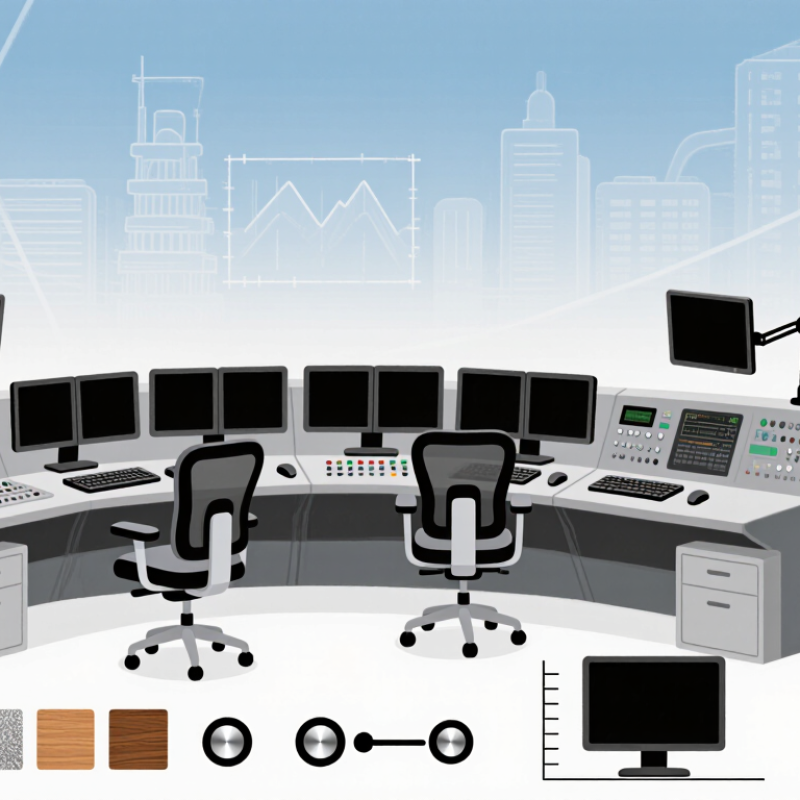
A control room console desk is a purpose-built workstation for people who monitor systems and coordinate responses. It differs from ordinary office furniture through its integrated equipment space, cable management, and operator-focused layout. The work surface may hold several displays, a keyboard, communication devices, and controls within easy reach. Fit matters.
Its main functions are to support clear sightlines, organized equipment, and sustained work across long shifts. Adjustable monitor mounts can reduce neck strain, while recessed cable channels keep wiring contained and accessible for maintenance. Some consoles also include task lighting, power access, and storage for essential documents. Not every feature helps. Poorly placed screens or crowded surfaces can slow routine tasks, so layout should reflect actual workflows.
Control room console desks are used in utilities, transport operations, security monitoring, emergency coordination, and industrial facilities. Each setting has different demands: a transport team may need shared displays, while a plant operator may rely on instruments and local controls. Materials and finishes should suit expected use, cleaning routines, and equipment loads. A full-scale mock-up helps teams test reach, visibility, and movement before installation. Real shifts may still reveal issues that drawings miss.
When comparing control-room console manufacturers, look beyond finish and price. Operators may spend entire shifts at these workstations, so reach, sightlines, legroom, and adjustability matter. ISO 11064 provides ergonomic principles for control-center design; ask suppliers to show how their layouts apply them, rather than relying on a compliance claim alone. Check drawings for monitor heights, seated and standing positions, cable routes, ventilation, and access to service panels. Small details matter.
Reliability deserves equal scrutiny. Uptime Institute’s 2023 Annual Outage Analysis found that 54% of respondents’ most recent significant outages cost more than US$100,000. This does not show that consoles cause outages, but it highlights why maintainability matters in critical facilities. Ask for load-test documentation, material specifications, spare-part availability, warranty terms, and a clear installation plan. A full-scale mock-up can reveal glare, cramped knees, or awkward reach before production. A limitation: a mock-up cannot fully reproduce a busy, noisy shift.
Tips: Request references for installations with similar operator counts and duty cycles. Inspect edge finishes, cable access, and replacement procedures in person. If a supplier’s claims seem polished, ask for measurements and test records.
| No. | Evaluation Criterion | What to Assess | Evidence to Request | Buyer Check |
|---|---|---|---|---|
| 1 | Ergonomic design | Worksurface dimensions, seated and standing use, reach to equipment, monitor sightlines, and provisions for user adjustment. | Dimensioned drawings, ergonomic design rationale, and a review against applicable parts of the ISO 11064 control-centre design series. | Confirm the design suits the operators, tasks, room layout, and project requirements. |
| 2 | Structural capacity and stability | Rated loads for the worksurface, monitor supports, accessories, and any moving sections; resistance to movement during normal use. | Documented load ratings, test methods, and installation requirements for the proposed configuration. | Compare ratings with the actual equipment loads; do not assume ratings apply to every configuration. |
| 3 | Cable and equipment management | Cable routing, access panels, separation of power and data where required, ventilation, and access for maintenance. | Cable-routing drawings, equipment-space layouts, and details of removable panels and service access. | Check against the project’s equipment list, cable schedule, and local electrical requirements. |
| 4 | Modularity and future changes | Ability to reconfigure positions, replace components, and accommodate changes to equipment or team size. | Component drawings, available module sizes, and examples of compatible additions or replacements. | Identify which parts can be changed without replacing the full console and whether parts remain available. |
| 5 | Materials and finish durability | Worksurface and frame materials, edge treatment, cleanability, resistance to expected wear, and suitability for the operating environment. | Material specifications, care instructions, and relevant test reports for the proposed finish. | Specify required cleaning agents and environmental conditions; verify compatibility rather than relying on general claims. |
| 6 | Safety and regulatory documentation | Applicable product, material, electrical, accessibility, and fire-performance requirements for the destination and project. | Declarations, certificates, or test reports that identify the exact product, configuration, and applicable standard or regulation. | Have the project’s compliance requirements reviewed for the destination country; requirements vary by jurisdiction and installation. |
| 7 | Customization and engineering support | Ability to produce project-specific layouts, dimensions, finishes, accessories, and coordinated technical documentation. | Design submittals, revision process, approval workflow, and a clear list of included versus optional features. | Confirm that approved drawings cover all interfaces, room constraints, and equipment before production. |
| 8 | Manufacturing quality and traceability | Quality-control procedures, inspection points, handling of nonconformities, and consistency between approved samples and delivered goods. | Quality-system documentation, inspection records, and sample approval or production sign-off procedures. | Ask how defects are documented, corrected, and prevented from recurring. |
| 9 | Installation and logistics | Packaging, delivery terms, site access needs, assembly sequence, installation responsibilities, and coordination with other trades. | Written delivery and installation plan, packing dimensions, site-preparation requirements, and responsibility matrix. | Check import, customs, unloading, access, and local installation arrangements for the destination. |
| 10 | Warranty, service, and lifecycle support | Warranty scope and exclusions, replacement-part availability, response process, and support across the intended service life. | Written warranty terms, service contacts, parts policy, and stated process for reporting and resolving issues. | Compare coverage and response commitments in writing; confirm who provides support in the buyer’s region. |
Use these criteria to evaluate shortlisted suppliers against the project specification. They are assessment criteria, not a ranking or performance claim about any specific manufacturer.
Profiles of ten leading control room console desk manufacturers reveal different strengths in engineering, customization, and project support. Some focus on modular workstations that can be rearranged as teams grow. Others emphasize heavy-duty frames, cable management, and surfaces built for continuous shifts. Buyers should compare each manufacturer’s approach to monitor arms, equipment ventilation, operator access, and future expansion. A polished render is useful, but it cannot replace dimensional drawings or a practical review with operators.
Manufacturing experience matters most when the room has unusual constraints. Check how the supplier handles sightlines, chair clearance, maintenance access, and heat from installed equipment. Ask for material specifications, load ratings, finish samples, and installation guidance. Clear answers are a good sign. Vague promises are not. Some profiles may offer less detail than buyers expect, and that gap deserves attention rather than assumption. A console can look excellent and still frustrate operators during a long night shift.
Tips: Measure the room and list every device before requesting a quote. Confirm monitor positions with a full-scale layout. Ask who coordinates delivery and installation. Keep a little space for future equipment; plans change, sometimes awkwardly.
A standards-based reference for comparing control-room console desk design capabilities.
How to read this chart: Bars identify the numbered parts of the ISO 11064 control-centre design series and their respective topics. Part numbers are identifiers, not scores or manufacturer rankings. Buyers can use the series as a reference when discussing workstation layout, displays, controls and environmental requirements with suppliers.
A comparison of ten control room console desk manufacturers should begin with design, not appearance alone. Operators may spend entire shifts watching several displays, so sightlines, seated reach, and glare control matter. Look for adjustable monitor arms, rounded work surfaces, and clear cable routes. Small details count. A polished rendering cannot show whether a technician can replace a power unit without moving neighboring equipment.
Customization separates flexible manufacturers from suppliers offering only standard sizes. Ask how they handle console dimensions, equipment loads, ventilation, storage, and future expansion. Request drawings that show screen positions and service access, then check that the proposed layout fits the actual room. A useful specification includes materials and load limits. Still, custom options can add cost and extend lead times; buyers should confirm both before approving a design. Not every requested feature improves daily work.
Global reach is more than shipping across borders. Compare installation partners, documentation, spare-part access, and the ability to support different site conditions. Ask for examples of projects with similar operator counts and technical demands, while checking references where practical. Delivery promises can sound confident, but remote support may be thin. That gap deserves a direct question. Manufacturers with clear communication and realistic service plans may prove more dependable than those judged by catalog breadth alone.
A console desk must fit both the room and its operating requirements. Ask suppliers for drawings, material details, and relevant test documentation. Compliance requirements can differ by destination, so confirm which standards apply before approving a design. Ask for evidence. Check cable openings, rounded edges, and finishes against your site specifications, not just product images.
Delivery planning deserves the same attention. Request a written schedule covering production, packing, shipping, and installation support. Confirm that large panels and work surfaces are protected against moisture and impact during transit. Verify delivery access, including lift dimensions and doorway clearance. Details matter. A realistic lead time is more useful than an optimistic promise, though schedules can still shift.
After-sales support becomes important when a console needs adjustment or a component fails. Clarify warranty coverage, spare-part availability, response times, and whether remote or on-site help is offered. Keep these commitments in writing. No checklist catches everything; site conditions and installation decisions can create surprises. That is worth admitting early. A supplier’s clear answers—and willingness to document limitations—can help buyers make a more dependable choice.

