How to Choose an LSX Series Flexible LED Display?
Choosing an LSX Series · Flexible LED Display starts with the installation, not the product name. A curved retail column, a stage backdrop, and a compact control-room wall place different demands on a display. Grand View Research estimated the global digital signage market at USD 28.83 billion in 2023 and projected an 8.1% compound annual growth rate from 2024 to 2030. That figure covers digital signage broadly; it is not a forecast for flexible LED panels alone. Still, it signals why buyers need to compare specifications carefully.
This guide explains how to assess pixel pitch, viewing distance, curve requirements, brightness, refresh rate, and service access. A close-up showroom screen may need finer pixel pitch than a large event wall viewed from across a venue. Check the manufacturer’s stated minimum bending radius, then compare it with the actual frame design. Small details matter. Ask for a sample, inspect seams and color consistency, and confirm how modules are replaced. Also review warranty terms and operating conditions before ordering. A specification sheet rarely shows every installation challenge. Some choices remain uncertain until the display is tested in its real environment. That is worth admitting. The goal is not to choose the most impressive numbers, but a display that fits the space, content, and maintenance plan.
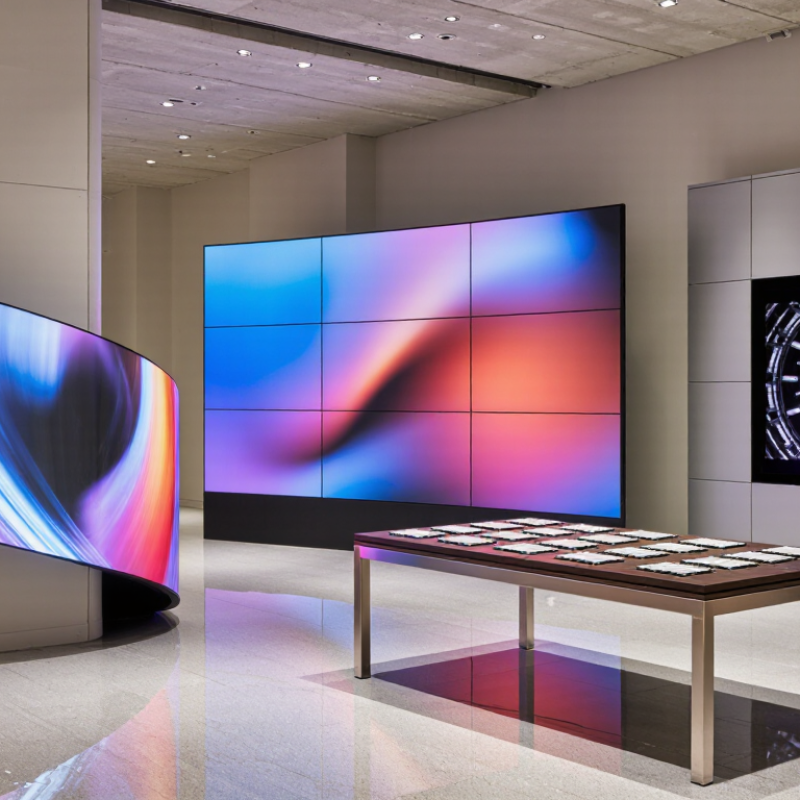
Define the Display’s Purpose, Audience, and Viewing Conditions
Before selecting an LSX Series flexible LED display, define the job it must perform. Is it guiding visitors, presenting product details, or creating a visual feature? The answer affects screen size, content layout, and operating hours. Identify who will watch it and where they will stand. A display viewed from two meters needs different text sizing than one seen across a lobby. Note whether people will pause or pass quickly. Small details matter.
Tips: Measure the closest and farthest viewing points. Photograph the installation area at busy and quiet times. Check ambient light, available power, mounting surfaces, and service access. Confirm the display’s documented specifications rather than assuming every flexible screen suits every environment.
Viewing conditions also shape the curve and brightness you need. A tight curve may fit a column, while a broad bend may preserve a more natural image. Test content from real viewing positions; thin text and detailed graphics can become difficult to read at an angle. Sunlight, reflections, and nearby lighting can change how bright the screen appears. A paper plan may still miss something. Review a sample layout on site, then adjust it before finalizing dimensions and content.
Measure the Installation Area and Identify Required Curves
Before choosing an LSX Series flexible LED display, measure the surface where it will actually sit. Record its width and height at several points, especially if the wall, column, or stage edge is uneven. A tape measure may follow a shallow curve; a straightedge helps reveal where the surface bows. Note nearby doors, vents, and trim that could block the screen. Leave room for the mounting structure and service access. Small gaps matter.
Map every curve on a simple drawing. Mark inside and outside corners, curved sections, and transitions between flat and curved surfaces. Measure each curve’s radius rather than estimating it by eye. Check the display’s technical specifications for its permitted bending direction and minimum bend radius. Do not force a panel to fit a tighter curve; that can strain its structure or affect the image. Recheck measurements after marking the installation points. My first sketch is often too neat.
Tips: Use a flexible ruler or string to trace curved edges. Photograph each measurement with its location labeled. Confirm clearances with the installer before ordering.
Compare Pixel Pitch, Brightness, Resolution, and Viewing Distance
Choosing an LSX Series flexible LED display starts with pixel pitch, the distance between neighboring pixels. A smaller pitch usually produces finer detail at close range, but it can raise cost and processing demands. Match pitch to the nearest regular viewing position, not just the room’s dimensions. A rough planning estimate is one meter of viewing distance per millimeter of pitch. Treat it as a starting point, not a rule; content and eyesight matter.
Distance changes everything. Brightness should suit the ambient light: a dim studio needs less output than a sunlit window area. Excess brightness can wash out colors and tire viewers. Ask for measured brightness data and check how the display performs after calibration. Resolution depends on both pixel pitch and the active screen size. Confirm the actual pixel dimensions, then test your intended content at its native resolution. Measure twice. Curved installations need extra attention: confirm the permitted bend radius and inspect seams from several viewing angles. Even careful estimates can miss glare from nearby glass or lighting. Not always. If possible, evaluate a sample at the planned distance and brightness before finalizing the specification.
How to Choose an LSX Series Flexible LED Display? - Compare Pixel Pitch, Brightness, Resolution, and Viewing Distance | Pixel Pitch | Approx. Pixel Density | Suggested Viewing Distance | Brightness Guidance | Resolution Detail | Typical Application |
| 1.5 mm | About 444,000 pixels/m² | About 1.5 m and beyond | For indoor use, around 600–1,200 cd/m² is a common starting range; adjust for ambient light. | Highest pixel density in this comparison; well suited to close viewing and fine detail. | Premium indoor displays, control rooms, and close-up viewing areas. |
| 2 mm | About 250,000 pixels/m² | About 2 m and beyond | For indoor use, around 600–1,200 cd/m² is a common starting range; consider brighter settings in high ambient light. | High detail at short distances; resolution depends on the display’s physical dimensions. | Meeting spaces, retail interiors, and presentation walls. |
| 2.5 mm | About 160,000 pixels/m² | About 2.5 m and beyond | For indoor use, around 600–1,200 cd/m² is a common starting range; choose based on room lighting. | A middle-ground pixel density for balancing detail, screen size, and viewing distance. | Retail displays, lobbies, and medium-sized event spaces. |
| 3 mm | About 111,000 pixels/m² | About 3 m and beyond | For indoor use, around 600–1,200 cd/m² is a common starting range; confirm the required level for the venue. | Lower pixel density than fine-pitch options; individual pixels are more noticeable at close range. | Stage backdrops, event venues, and larger indoor viewing areas. |
| 4 mm | About 62,500 pixels/m² | About 4 m and beyond | For indoor use, around 600–1,200 cd/m² is a common starting range; bright environments may need more. | Best considered for larger screens or longer viewing distances where ultra-fine detail is less critical. | Large event screens and displays viewed from farther away. |
| Selection notes: Pixel density is estimated as (1,000 ÷ pixel pitch in mm)². A rough viewing-distance guideline is that the distance in metres may be similar to the pixel pitch in millimetres, but content, eyesight, and viewing conditions affect the result. Brightness ranges are general indoor guidance, not specifications for a particular display; verify the product datasheet and venue requirements. Higher pixel pitch means fewer pixels per unit area, while total screen resolution also depends on the display’s physical width and height. |
Check Mounting, Control-System, and Content Compatibility
How to Choose an LSX Series Flexible LED Display?
Check how the display will be mounted before comparing screen specifications. Measure the surface, note its curves, and confirm the permitted bending direction and minimum radius. A flexible panel still needs stable support. Check the mounting points, total weight, ventilation space, and access to power and signal cables. Leave enough cable slack for the intended curve, but avoid sharp folds. A small cardboard template can reveal awkward corners before installation begins.
Control-system compatibility matters just as much. Confirm that the controller supports the display’s resolution, scan settings, refresh rate, and required input connections. Ask for the panel’s configuration file and verify that it matches the actual module layout. Test brightness and color settings in the room where the display will operate; showroom lighting can be misleading. Small details matter.
Match content to the screen’s shape and pixel pitch. Create files at the display’s native dimensions, then preview text, logos, and motion graphics at viewing distance. Fine text may look crisp on a laptop but blur across a curved, low-resolution panel. Test common file formats and playback schedules with the intended media player. A mock-up can still miss a cable obstruction or an odd crop. Test it live before final mounting.
Match Content Resolution to the Display and Control System
The chart compares the pixel counts of common video resolutions. Confirm that the control system can handle the intended content canvas, and check that the display’s physical dimensions and mounting requirements suit the installation. For the best fit, verify the display’s pixel layout and content aspect ratio before choosing a resolution.
Evaluate Durability, Warranty, and Ongoing Support
When choosing an LSX Series flexible LED display, look beyond how easily it bends. Check the stated bend radius and confirm it suits your planned curves without stressing the panel. Ask how the display handles repeated installation, transport, and everyday cleaning. A smooth showroom demo tells you little about months of handling. Inspect sample modules for secure connectors, even surface seams, and accessible service points. Small details matter.
Read the warranty before comparing prices. Confirm its duration, coverage for dead pixels and control components, and whether labor or shipping is included. Ask what evidence is needed for a claim, such as installation records or photos. Keep those records. Also check whether replacement modules will match the original display in brightness and color. Terms can vary, so request them in writing rather than relying on a brief sales conversation.
Ongoing support is practical, not decorative. Ask how quickly technical staff respond, whether remote troubleshooting is available, and how spare parts are stocked. A clear contact path helps when one section flickers before an event. Test the support process with a specific question before purchase. How long does a repair usually take? Get a realistic answer. I would not assume every flexible display needs the same care; installation conditions and usage can change the picture. That uncertainty deserves a candid conversation.