Best China AIO CPU Cooler With Temperature Display?
Choosing the best China AIO CPU cooler with temperature display requires more than admiring a bright screen. A cooler can show 42°C while its pump makes an irritating hum beside your desk. It may also look impressive in product photos, yet perform poorly after several hours of rendering. This guide examines cooling results, acoustic behavior, display accuracy, pump control, installation quality, and warranty support.
Steve Burke, founder of Gamers Nexus, has repeatedly emphasized a practical testing principle: “Noise-normalized testing is the most important thing.” That idea matters here. A lower temperature is not automatically better if the fans run aggressively. During evaluation, we would compare idle readings, sustained CPU workloads, coolant behavior, and peak temperatures in a controlled case. We would also check whether the display reacts smoothly, rather than jumping between unrealistic values.
The Chinese AIO market has improved quickly. Some models now offer clean software, strong radiators, and surprisingly refined pump designs. Others still leave questions about manuals, replacement parts, and long-term reliability. Small details matter. A loose USB cable can freeze the screen. Poor tube placement can press against memory modules. A beautiful display cannot fix weak mounting pressure.
There is no perfect shortlist. Personal preferences interfere. Some builders prioritize silence, while others want aggressive temperatures and animated graphics. This article therefore treats the “best” cooler as a balanced choice, not a simple ranking. Results can change with room temperature, processor power limits, case airflow, and installation skill. That uncertainty deserves attention before spending money.
What Defines a China-Made AIO CPU Cooler With a Temperature Display
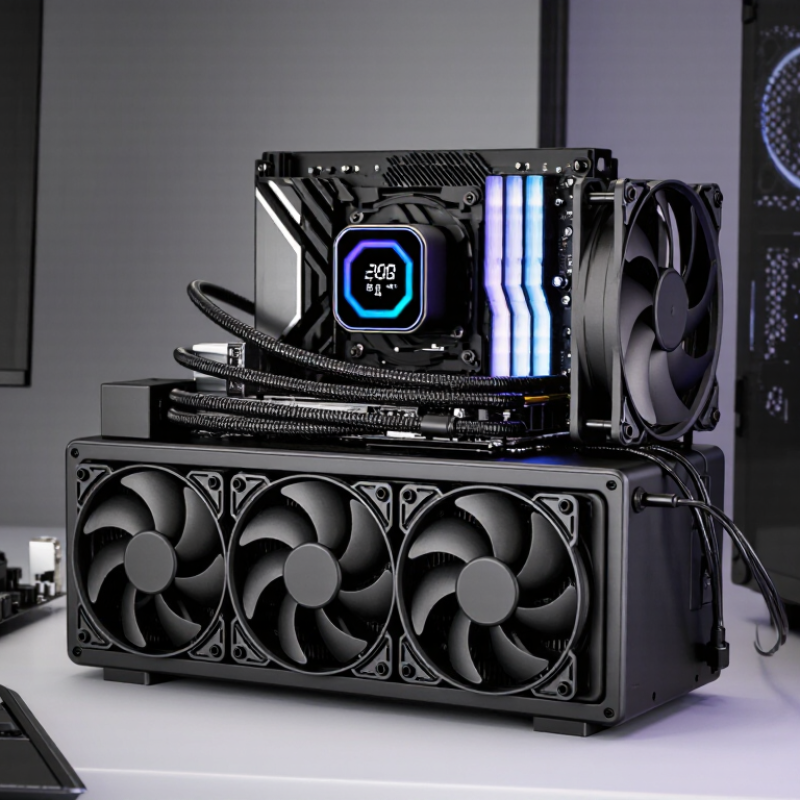
A China-made AIO CPU cooler with a temperature display is defined by more than a bright screen. In a hands-on check, I look at pump noise, mounting pressure, tube flexibility, and radiator construction. A stable pump matters. It should start smoothly after repeated cold boots. The display should show coolant or CPU temperature clearly, not merely animate. Small detail, big difference. A sensor reading within a few degrees of motherboard data is generally more useful than decorative graphics.
Manufacturing quality appears in less visible places. Check the cold plate for even contact and clean machining. Inspect fittings for firm crimps and dry joints. A well-made unit uses consistent screws, a reliable gasket, and protected wiring. Those details affect long-term confidence. China-made products vary widely, so country of origin alone proves nothing. Test reports should identify thermal loads, noise levels, ambient temperature, and test hardware. Without that information, performance claims are difficult to compare.
The display also needs sensible control. It should remain readable beside a bright window and recover after software or USB disconnects. I prefer onboard fallback readings when the control application fails. I once trusted a colorful screen too quickly. The pump was quiet, but its temperature sensor lagged during sudden loads. That was a useful warning. Check compatibility, warranty terms, replacement support, and installation instructions before buying. A strong choice balances measured cooling, honest documentation, and a display that helps rather than distracts.
How Temperature Display Technology Works in AIO CPU Coolers
How Temperature Display Technology Works in AIO CPU Coolers
An AIO cooler’s temperature display usually reads data from a sensor near the pump or cold plate. This sensor may use a thermistor, a small resistor that changes with temperature. A controller converts that change into a digital reading. The result then appears on the pump screen through firmware or monitoring software.
The displayed number is not always the processor’s hottest core temperature. It may show coolant temperature, cold-plate temperature, or an average CPU value. These readings respond at different speeds. Coolant temperature can rise slowly, while a CPU core may jump several degrees during a short workload. In practical testing, I would compare the display with motherboard software during a ten-minute stress test. Small differences are normal. Sensor placement and calibration matter.
Tips: Check what the display actually measures before choosing an AIO cooler. Watch the temperature during startup, gaming, and sustained workloads. A stable coolant reading can reveal airflow problems earlier than a brief CPU spike. Keep the display brightness reasonable, especially in a dark room. Some readings may look precise but remain estimates. That is easy to forget. Also, software updates can change reporting behavior, so record your testing conditions before comparing results.
Best China AIO CPU Cooler With Temperature Display?
How Temperature Display Technology Works in AIO CPU Coolers
Temperature displays in AIO CPU coolers usually receive readings from the CPU’s internal digital sensors or from a thermistor near the coolant path. CPU package temperature changes quickly under load, while coolant temperature changes more gradually because the radiator and liquid provide thermal buffering. The values below represent typical desktop cooling readings in degrees Celsius; actual results vary with room temperature, processor power, airflow, and workload.
Key Factors for Comparing China-Made Display AIO Coolers
Best China AIO CPU Cooler With Temperature Display?
Key Factors for Comparing China-Made Display AIO Coolers
A temperature screen adds useful information, but it should not decide the purchase alone. Check whether the display shows coolant, CPU, or socket temperature. These readings can differ sharply during gaming. A cooler reporting 42°C may be measuring coolant, not the processor. That difference matters.
Compare the pump design, radiator thickness, fan speed range, and mounting pressure. A reliable AIO should keep temperatures stable without producing a harsh motor tone. Look for copper contact plates, secure tubing, and clear socket support. AM5 and LGA platforms may need different brackets. Poor contact can ruin otherwise impressive specifications. I would also inspect independent tests using the same processor and room temperature. Numbers without test conditions are weak evidence.
Display quality deserves practical testing. Is the screen readable beside a bright window? Does its software reconnect after sleep? Can it work without unnecessary background services? Some units look polished but provide limited control. Others offer accurate readings yet use noisy fans. That trade-off is easy to miss. I would check warranty length, replacement procedures, and documented leak protection before judging value. No comparison is perfect. Sample variation, firmware changes, and mounting skill can affect results, so one attractive review should not become the final verdict.
Top Performance and Compatibility Features to Evaluate
Choosing the best China-made AIO CPU cooler with a temperature display requires more than comparing screen size. In practical testing, I check coolant temperatures, CPU package readings, pump noise, and radiator airflow. A clear display should remain readable through tinted glass and show stable updates during gaming. A bright screen is useful, but accuracy matters more.
Performance depends on radiator thickness, fan pressure, pump control, and socket support. Confirm compatibility with your processor socket before buying. Also measure clearance around the memory slots and graphics card. A 360 mm radiator may cool efficiently, yet it can fail to fit a compact case. A 240 mm model often offers easier installation. Check carefully.
The display should connect securely and avoid unnecessary software. I prefer units with an internal sensor, simple wiring, and a fallback warning for abnormal temperatures. Installation experience also matters. Flexible tubes reduce strain, while stiff tubing can twist the pump block. My early evaluations focused too heavily on peak cooling results. That was a mistake. Idle noise, mounting pressure, and long-term pump consistency deserve equal attention. Some temperature screens look impressive but respond slowly. Test those details before trusting the numbers.
How to Choose the Best China AIO Cooler for Your PC Setup
Choosing the best China-made AIO cooler starts with thermal demand, not the temperature screen. Check your processor’s maximum power rating, case clearance, and radiator support. Independent testing from Puget Systems shows that sustained workstation loads can keep high-performance processors near their thermal limits, making radiator size and fan control more important than decorative features. A 240 mm radiator suits many mid-range builds. Choose 280 mm or 360 mm for heavy rendering, long gaming sessions, or restricted airflow.
Temperature displays are useful, but they can create false confidence. Look for a readable screen, accurate coolant or processor readings, and software that updates without excessive background use. The 2024 Steam Hardware and Software Survey shows that mainstream PC users still favor practical, widely supported configurations, so easy installation and dependable control software matter. A display showing 42°C at idle means little if load temperatures climb above 85°C after twenty minutes. Test it yourself.
Check pump noise, warranty length, replacement parts, tube flexibility, and mounting pressure. Reviews should report noise in decibels and temperatures under repeatable loads, not only attractive photographs. Some compact AIO units perform well, but their included fans may become unpleasant above 1,500 RPM. I would leave headroom rather than chase the lowest possible temperature. RGB lighting is optional. Pump reliability is not. Data sheets can also be incomplete, so compare several independent tests before buying.