

A WiFi router can keep working during a power cut, but only if its backup matches the device. A 12v Mini Ups is designed to supply low-voltage power to equipment such as routers and modems. It can help preserve a connection through brief outages. Small backup, useful difference.
This guide compares 12 options by practical details, not just advertised capacity. Check the router’s required voltage, connector size, polarity, and current draw before choosing. A plug that fits is not proof of compatibility. Runtime also varies with battery capacity, router power use, battery age, and network equipment connected alongside it. Treat manufacturer runtime figures as estimates, not guarantees.
Other details matter. Some units offer multiple output voltages, while others provide only 12V. Backup duration, charging time, safety protections, and the ability to charge while powering a device can differ. A larger battery may last longer, but it can also take up more desk or shelf space. There is no perfect pick for every setup. I’d be cautious about assuming the highest capacity is automatically the best value; specifications and real needs should be considered together.
The products below are intended to make comparison easier, whether you need a few minutes to save work or a longer bridge during a short outage. Confirm the exact specifications with the manufacturer before buying, especially if your router uses an unusual power adapter. These small units are helpful, but they cannot guarantee uninterrupted internet service.
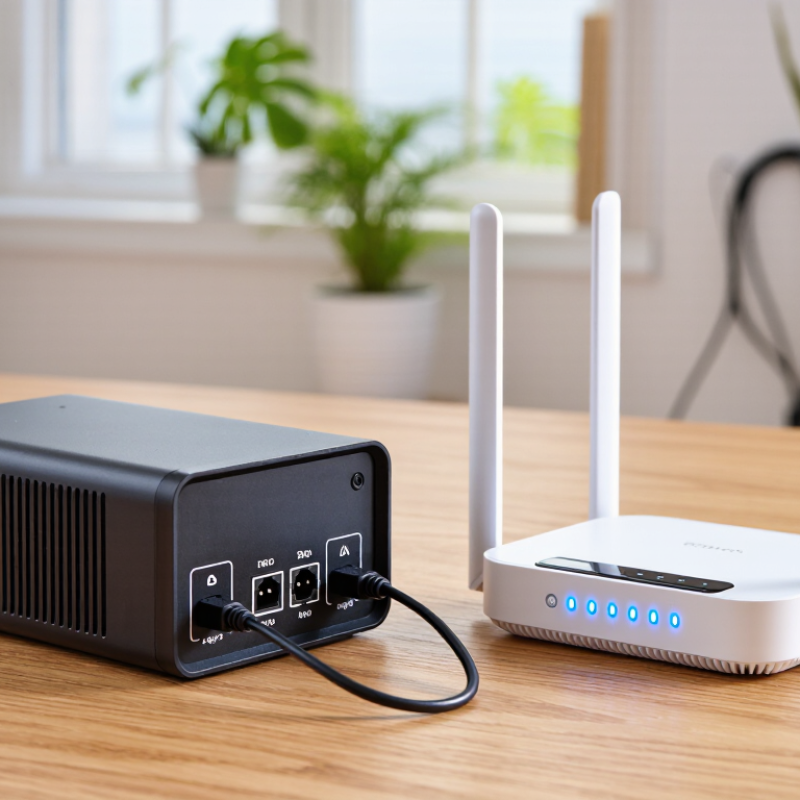
A 12V mini UPS acts as a small battery bridge between the wall outlet and a WiFi router. When mains power fails, it can keep the router running without a manual restart. That matters for local WiFi, but it does not automatically preserve the whole internet connection. A separate modem or fiber terminal may also need backup power.
ITU’s Facts and Figures 2024 estimated that 5.5 billion people, or 68% of the world’s population, used the internet. The figure shows how widely connectivity matters; it does not mean every connection survives a household outage.
Runtime depends on the router’s real power draw and the UPS’s usable energy. For example, a 10,000mAh battery rated at 3.7V stores about 37Wh before conversion losses. At a steady 12W load, that suggests roughly two to three hours in practice, though the router’s label shows its maximum rating, not necessarily its everyday draw.
Runtime claims can mislead. Check voltage, connector polarity, and current requirements before connecting the unit. Then test it: unplug the wall adapter, watch the router’s lights, and time how long the connection stays active. Not always. A weak battery, extra modem, or poor fit can change the result.
A mini UPS should match your router’s input voltage and current, not just its plug shape. Check the label on the router or its power adapter. A 12V model may still provide too little current for a router with extra accessories. Fit matters. Confirm connector size and polarity before connecting anything.
Battery capacity affects how long the network stays online, but advertised capacity does not translate directly into runtime. Conversion losses and device load both matter. If possible, compare watt-hours and look for runtime estimates at a stated load. A small unit might cover a short outage, not an entire evening. I still treat estimates cautiously.
Check whether the unit can charge while powering the router, and whether it switches over smoothly when mains power fails. Look for clear battery-status indicators and basic protections against overcurrent, overcharging, and overheating. Also consider recharge time and battery replacement options. In a cramped hallway, quiet operation and a visible status light can be useful; a bright light may be annoying at night. Specifications help, but real runtime depends on your setup. Test the unit with your own router before relying on it.
Choosing among 12V mini UPS options for WiFi routers starts with matching the power requirements. Check the router’s label for voltage, current, connector size, and polarity. A unit marked 12V may still be unsuitable if its plug or available current does not match. Small details matter. If your internet setup includes a separate modem or optical network terminal, check whether the UPS can power both devices at once.
Runtime depends on battery capacity, device load, battery age, and conversion efficiency. A larger capacity can help, but published estimates may not reflect your home’s conditions. Look for clear capacity ratings, overload protection, and automatic switchover during an outage. Some units offer several output voltages; that flexibility is useful only when each output is clearly labeled. Measure before buying. A cable that almost fits is still the wrong cable.
The best choice among these 12 options is the one suited to your actual setup, not simply the model with the biggest battery. For a basic router, a compact unit may be enough; for a router and modem together, calculate their combined power draw and allow extra capacity. Keep ventilation clear, and test the UPS by unplugging its adapter briefly while monitoring the connection. I have found that advertised runtime can feel optimistic in real use, especially with older batteries. Recheck performance periodically, since a backup device can seem ready until the power cuts.
A mini UPS must match the router’s electrical requirements, not just its plug. Read the router’s power label and confirm the required voltage, current, and connector polarity. A 12V output is suitable only if the router specifies 12V; do not assume nearby voltage ratings are interchangeable. Check the connector’s outer and inner dimensions, too. Small mismatches matter.
The network may need more than the router. If a separate modem or fiber terminal keeps your connection online, check its voltage and current requirements as well. Choose a UPS with separate compatible outputs, or power only the equipment that is essential. Estimate runtime using the devices’ actual power draw, not the largest number printed on the UPS. For example, a 12W load will drain a small battery faster than a 6W load. Battery capacity and conversion losses affect the result.
Check whether the UPS can charge while supplying power, and whether it switches over quickly enough to avoid a router reboot. Specifications can be confusing, so a cautious test helps: charge the unit, disconnect wall power, and watch the router and modem stay connected. Test during a quiet moment. I would not rely on a runtime estimate alone; real battery condition and network load can change the outcome.
Compare these generic mini-UPS profiles by battery energy, 12V output capacity, and the equipment they suit. They are selection profiles, not branded product listings.
| Rank | Best For | Battery Energy | 12V Output Limit | Example Connected Load | Estimated Runtime | Network Fit | Compatibility Check |
|---|---|---|---|---|---|---|---|
| 1 | Best compact choice | 15 Wh | 12V, up to 1A (12W) | 4W router | About 3 hours | Small single-band router | Confirm the router uses 12V and draws no more than 1A. |
| 2 | Best for basic WiFi | 18.5 Wh | 12V, up to 1A (12W) | 5W router | About 3 hours | One router, no powered accessories | Allow extra output capacity if the router has a high startup draw. |
| 3 | Best for a low-power router | 22.2 Wh | 12V, up to 1.5A (18W) | 6W router | About 3 hours | Single router with modest power use | Check the router label for voltage, polarity, and connector size. |
| 4 | Best for longer basic backup | 29.6 Wh | 12V, up to 1.5A (18W) | 7W router | About 3.4 hours | Router used for browsing and messaging | Runtime falls if other outputs are used at the same time. |
| 5 | Best for a typical home router | 37 Wh | 12V, up to 2A (24W) | 8W router | About 3.7 hours | Single router with moderate power demand | Choose a unit whose continuous output rating exceeds the load. |
| 6 | Best for router plus small accessory | 44.4 Wh | 12V, up to 2A (24W) | 9W combined load | About 3.9 hours | Router and a low-power network accessory | Add the devices’ wattage; do not exceed the UPS total output limit. |
| 7 | Best for a router and ONT | 55.5 Wh | 12V, up to 2A (24W) | 10W combined load | About 4.4 hours | Router plus a compatible optical network terminal | Verify both devices’ voltage and add their current or wattage ratings. |
| 8 | Best for a higher-draw setup | 74 Wh | 12V, up to 3A (36W) | 12W combined load | About 4.9 hours | Router, ONT, or a small low-power network device | Make sure each connected device receives its required voltage. |
| 9 | Best for several low-power devices | 44.4 Wh | 12V, up to 3A (36W) | 12W combined load | About 3 hours | Router and multiple low-power accessories | Check the total load across all ports, not just the 12V port. |
| 10 | Best for a longer multi-device backup | 55.5 Wh | 12V, up to 3A (36W) | 12W combined load | About 3.7 hours | Router and ONT with some additional capacity | Leave output headroom and check whether all outputs can run simultaneously. |
| 11 | Best for extended router-and-ONT backup | 74 Wh | 12V, up to 3A (36W) | 14W combined load | About 4.2 hours | Higher-power router and compatible ONT | Compare the UPS’s continuous output with the combined device load. |
| 12 | Best for maximum runtime in this list | 74 Wh | 12V, up to 3A (36W) | 10W combined load | About 5.9 hours | Router and ONT with efficient power use | For the longest runtime, disconnect nonessential devices during an outage. |
How estimates are calculated: Runtime estimates assume about 80% of the stated battery energy is usable after conversion losses, divided by the example load. Actual runtime varies with battery age, temperature, conversion efficiency, device activity, and simultaneous use of other outputs. Check the router’s power label for voltage, current, polarity, and connector type before connecting a UPS.
A 12V mini UPS should match the router’s voltage, connector, and polarity. Check the router label before plugging anything in; a matching plug alone does not confirm compatibility. If your internet setup includes a separate modem or fiber terminal, check its power requirements too. One small UPS may not safely or reliably power every device.
Place the UPS on a firm, open surface near the router, with cables arranged to avoid pulling on the connectors. After connecting it, unplug the wall adapter briefly and confirm that WiFi stays on. Test it once. Backup time depends on battery capacity, device load, and conversion losses, so advertised estimates may not match your home. A timed outage test gives a more useful estimate.
Keep the unit dry and away from heaters, direct sun, and tightly enclosed shelves. Warmth is normal during charging, but unusual heat, swelling, leaking, or a sharp chemical smell calls for immediate disconnection if safe. Do not open the battery pack or use a damaged one. Follow the supplied charging and storage instructions, and replace aging batteries when runtime drops noticeably. I would retest after changing equipment; small power changes can shorten backup time more than expected.

